Your ERP is 15 years old. Your AI agents can still use it.
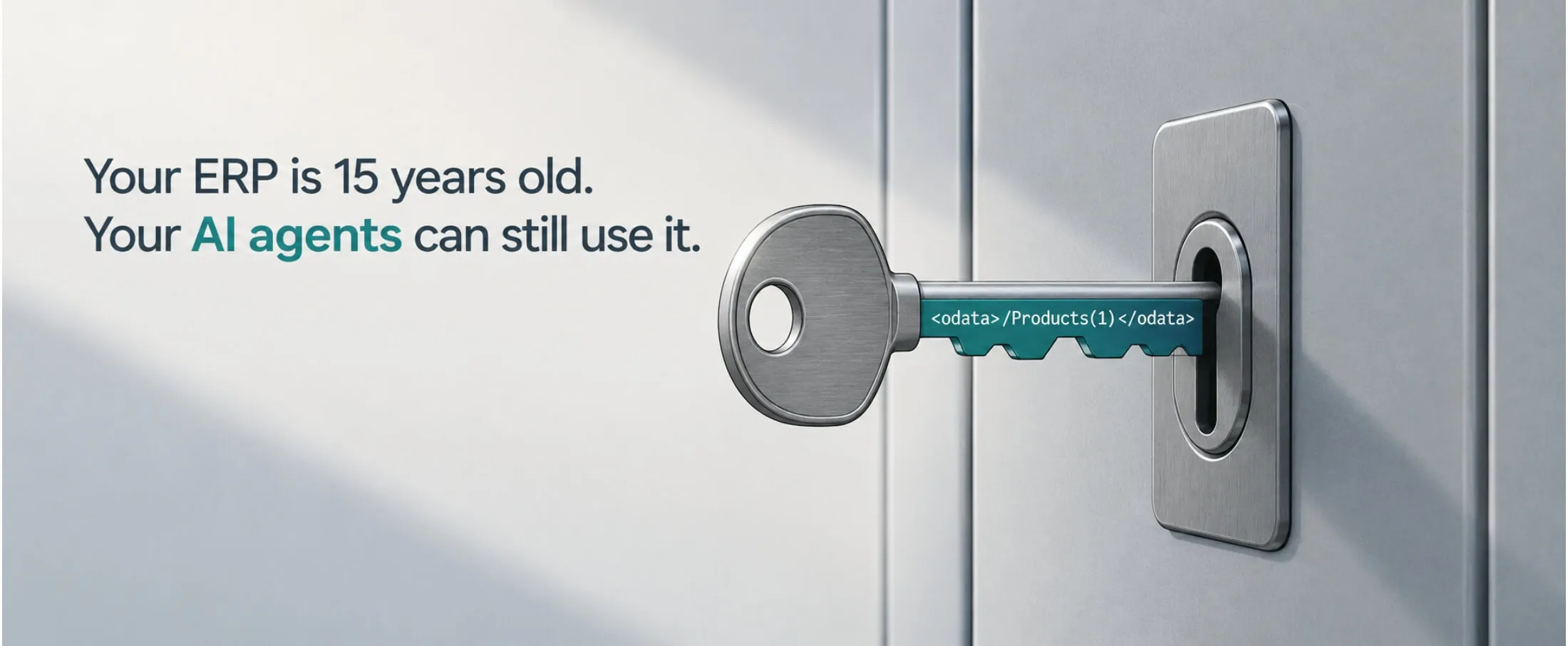
The sentence I hear most often in a first meeting is some version of this: “We’d like to do AI, but our ERP is ancient.” Then someone names it. Tally running on a machine in the accounts room. SAP Business One installed in 2011 and customised twice since. An AS/400 that has been printing the same dispatch report since before the person managing it joined the company.
The assumption underneath that sentence is that AI is a feature of modern software, so the old software has to go first. I think that is backwards, and it is an expensive way to be wrong. An ERP replacement is an eighteen-month programme with a hiring plan attached. An agent that reads your stock ledger every night and flags what does not reconcile is a two-week project. Do the second one first and you will learn something useful about whether the first one is necessary at all.
The upgrade-first trap
There is real evidence that integration, not intelligence, is what stalls these projects. In a Gartner survey of 140 senior supply chain leaders at companies with revenues above $250 million, 56% named integrating AI with legacy systems and processes as a major challenge to scaling it — the single most-cited roadblock, ahead of the talent shortage at 50%. That is the constraint. Not model quality, not use cases.
The instinct when integration is the problem is to remove the legacy system. But look at who is actually running these platforms. Tally says it is used by more than 2.5 million businesses across 100+ countries; in Indian manufacturing and distribution it is often the only system that holds the real numbers. Fortra’s 2026 IBM i Marketplace Survey, covering 320 IBM i users worldwide, found a record 70% planning hardware or software upgrades this year — and the top concern shifted, for the first time in nine years, from cybersecurity to IBM i skills. People are worried about who will maintain these systems, not about whether to keep them.
So the practical question is not how to get rid of the old ERP. It is how to let something new talk to it.
What an agent actually needs from your ERP
Strip away the vocabulary and an AI agent needs four things from a business system, and only four:
- Read access to the data it reasons about — vouchers, stock, orders, master data.
- A way to write back that the ERP considers legitimate, or a human step that does the writing.
- An identity of its own, so you can see what it did and restrict what it can touch.
- A record of every call, for the day someone asks why an entry appeared.
None of that requires the ERP to be modern. It requires the ERP to be reachable. Almost every system in this category already is, through an interface that has been sitting there unused for a decade.
Three doors into old software
In order of preference, because the order matters:
- The documented API, when there is one. SAP Business One ships a Service Layer that exposes business objects over OData — sales orders, business partners, inventory — with SAP’s own reference documentation. Tally exposes an XML interface over HTTP and an ODBC interface, both documented on Tally’s developer site. These are not workarounds; they are supported integration surfaces. Most teams simply never had a reason to use them.
- The database, read-only. On IBM i, the data usually sits in DB2 tables you can query directly, and stored procedures or data queues can carry requests back in. For an agent that only reads and reports, a read-only account against the database is often the fastest honest path. The discipline is that read-only means read-only — no agent writes to a table behind the application’s back, because the application’s business logic is the thing keeping your data consistent.
- The screen, last. Some desktop software has no API and no accessible database. Then you drive the UI, the way a clerk would. It works, and it is brittle. We treat it as a bridge with an expiry date, not an architecture.
One workflow, end to end
Here is a real shape of a first project, the kind we would scope in a fortnight. Purchase order to goods-receipt reconciliation, on SAP Business One.
Trigger. Every night at 23:00 the workflow wakes up on a server inside the customer’s network.
Step 1 — pull. It calls the Service Layer for purchase orders with an open quantity and for goods receipt PO documents from the last 24 hours. Two authenticated calls, a service account with read scope on those two object types and nothing else.
Step 2 — match. Deterministic code, not the model, joins receipts to orders and computes the differences: quantity received versus ordered, rate on the receipt versus rate on the order, receipts with no matching order at all. This part is arithmetic and belongs in arithmetic.
Step 3 — judge. The model sees only the exceptions, with the relevant supplier’s history attached, and classifies each one: short supply, a rate revision that was agreed over email, a unit-of-measure error, or something that needs a person. It drafts a two-line explanation for each in plain language.
Step 4 — route. Anything routine goes into a morning summary to the purchase head. Anything above a value threshold, or anything the model is unsure about, goes to a named person with an approve or reject button. Nothing is posted back to the ERP without that approval on day one. Later, once the classification has been right for long enough, the narrow cases can post automatically — and you will have the log to prove the track record.
Step 5 — record. Every call, every model decision and every human approval is written to a local audit log that outlives the workflow.
The ERP was not upgraded. No data left the building. The finance team got back the two hours a day they spent on a reconciliation nobody enjoyed.
What we have learned doing this
- Give the agent its own login, never a person’s. When the dispute comes, you want to point at a service account with a scoped role.
- Make writes idempotent. Networks drop, jobs retry, and the second attempt must not create a second voucher. Use a document reference the ERP itself will reject as a duplicate.
- Decide the human-approval line before you build, not after the first bad entry. Write it into the workflow as a step, not into a policy document.
- Keep the system of record boring. The agent proposes; the ERP decides what is true. The moment those two swap places you have a data integrity problem instead of an automation project.
- Keep the whole thing where the data already is. Every hop to an external service is a copy of your ledger you now have to account for — which is why we build our automation platform to run on the customer’s own infrastructure rather than routing their vouchers through ours.
Takeaways
- Integration is the bottleneck, not model capability — 56% of supply chain leaders in Gartner’s survey said so.
- Your ERP almost certainly has a documented integration surface already: Service Layer for SAP B1, XML and ODBC for Tally, DB2 and data queues on IBM i.
- Prefer the documented API, then read-only database access, then UI automation — and treat UI automation as temporary.
- Keep deterministic work deterministic. Use the model for judgement on exceptions, not for arithmetic.
- Start read-only, add write-back after the classification has earned it.
- Give the agent its own identity, make writes idempotent, log everything locally.
Where to start
Pick the reconciliation or report that someone on your team does by hand every morning. That is almost always the right first workflow, because you already know what a correct answer looks like.
We are opening a small beta for v1 of our on-prem automation platform at the end of this year, aimed at exactly these connections — Tally, SAP B1, AS/400, SCADA. If you want to be on the list, or you would rather just talk through what your own first workflow should be, there is a form below and my calendar behind it. No pitch deck, I promise.
Sources
- Gartner, “Gartner Survey Finds Technology Integration and Talent Perceived as Key Roadblocks to Scaling AI in Supply Chain,” 29 April 2026.
- Fortra, “2026 IBM i Marketplace Survey Results.”
- Tally Solutions, “About Tally.”
- SAP, “Service Layer API Reference,” SAP Business One 10.0.
- Tally Solutions, “Integration Methods and Technologies” (TallyHelp).
- Tally Solutions, “Tally Developer Hub.”