Save Time and Money with Effective Prototyping in Software Projects

Save Time and Money with Effective Prototyping in Software Projects
Prototyping in software projects is the practice of creating preliminary versions of your product to visualize concepts, test functionality, and catch design issues before they become expensive problems. You’re essentially building a working model that lets you explore ideas without committing to full-scale development.
The importance of prototyping can’t be overstated. When you integrate prototyping into your software development lifecycle, you’re setting up a safety net that catches errors early, validates assumptions with real users, and aligns your team around a shared vision. This approach directly translates to tangible benefits: shorter development cycles, reduced rework, and significantly lower project costs.
Why Prototyping Saves Time and Money in Software Projects?
Comes down to one simple truth: fixing problems on paper (or in a basic prototype) costs pennies compared to fixing them in production code. This article walks you through eight specific ways prototyping delivers measurable value, from accelerating timelines to enhancing user experience. You’ll discover practical strategies to save time and money while building better software products.
Understanding Prototyping in Software Development
Prototyping in software development means creating a preliminary version of your product before committing to full-scale development. You’re essentially building a working model that demonstrates core functionalities and design concepts, allowing your team to visualize the end product and test assumptions early in the process.
Types of Prototypes
The prototyping landscape divides into two primary categories: low-fidelity prototypes and high-fidelity prototypes.
- Low-fidelity prototypes: These are basic representations—think wireframes, sketches, or simple clickable mockups created in tools like Balsamiq or even paper drawings. You use these for initial concept validation and quick feedback gathering without investing significant resources.
- High-fidelity prototypes: These closely resemble the final product with detailed designs, realistic interactions, and polished visual elements. Tools like Figma, Adobe XD, or InVision help you create these sophisticated prototypes that stakeholders can interact with as if they were using the actual software.
The Importance of Iterative Prototyping
Iterative prototyping forms the backbone of effective software development. You build a prototype, test it with real users, gather feedback, refine the design, and repeat the cycle. This approach isn’t a solo endeavor—it requires active collaboration between:
- Developers who understand technical constraints
- Designers who craft the user interface
- Actual users who provide invaluable insights about usability and functionality
Each iteration brings you closer to a product that truly meets user needs while remaining technically feasible and aligned with business objectives.
How Prototyping Saves Time in Software Projects
Rapid prototyping changes how fast you can go from an idea to a product you can test. Instead of spending months creating a complete system only to find major problems, you make working models in days or weeks. This method allows you to check if the main features and user processes work without investing a lot of resources into full development.
1.1 Preventing Delays with Early Issue Detection
Early issue detection through prototyping stops the delays that often happen in traditional development. When you find a navigation problem during the prototype phase, you fix it with a few hours of design work. But if you discover the same issue after writing thousands of lines of code? It could take weeks to fix, retest, and possibly affect different parts of the system.
1.2 Keeping Project Momentum with Fast Experimentation
Fast experimentation cycles keep your project moving forward. You can test three different ways to do an important feature in the time it would take to fully develop one. Each iteration takes hours instead of weeks, allowing you to:
- Test multiple design solutions quickly
- Get user feedback on real interactions, not just ideas
- Change direction quickly when something doesn’t work
- Confirm technical feasibility before starting heavy coding
Consider a dashboard redesign project: prototyping the interface takes 3-5 days, reveals usability issues immediately, and allows instant adjustments. Building the full dashboard first? That’s 4-6 weeks of development, followed by expensive rework when users struggle with the layout you’ve already coded.
Cost Savings Achieved Through Prototyping
Why Prototyping Saves Time and Money in Software Projects becomes crystal clear when you examine the financial impact of early error detection. Catching design flaws during the prototype phase costs a fraction of what you’d spend fixing them after development. A bug discovered during prototyping might take an hour to address, while the same issue found post-launch could require days of debugging, testing, and deployment—potentially costing thousands of dollars.
The ability to reduce rework directly translates to resource optimization. When your team identifies usability problems or architectural issues through prototype testing, you avoid the expensive cycle of building features that need complete overhauls. You’re not paying developers to write code twice, designers to recreate interfaces, or QA teams to retest entire modules.
Consider a real-world scenario: A fintech company prototyped their mobile banking app and discovered users couldn’t navigate the fund transfer process. Fixing this during prototyping required minimal design adjustments. Had they discovered this post-development, they would have faced:
- Complete redesign of the transaction flow
- Backend API modifications
- Extensive regression testing
- Emergency deployment procedures
- Potential customer support costs from confused users
The company estimated saving $45,000 by minimizing costly changes through prototype validation. You achieve similar savings when you invest in prototyping upfront rather than paying premium prices for fixes during or after launch.
Enhancing Communication and Collaboration with Prototypes
Prototypes transform abstract concepts into visual aids that everyone on your team can see, touch, and understand. When you present a clickable prototype instead of a 50-page requirements document, you eliminate the guesswork that typically plagues software projects. Designers, developers, product managers, and executives can all interact with the same tangible representation of your product vision.
Easier Alignment Among Stakeholders
Stakeholder alignment becomes significantly easier when you have a prototype to reference during meetings. You’ve probably experienced those frustrating conversations where different team members interpret requirements differently. A prototype serves as the single source of truth that keeps everyone on the same page. Your backend developers can see exactly how the frontend should behave, while your designers understand the technical constraints they’re working within.
Clear Communication with Non-Technical Stakeholders
The power of prototypes extends to clear communication with non-technical stakeholders. You can show your client or executive sponsor exactly what they’re getting, rather than asking them to imagine it. This concrete demonstration helps you:
- Gather more accurate requirements from stakeholders who can interact with the prototype
- Manage expectations by showing realistic functionality early
- Reduce misunderstandings that lead to scope disputes
- Obtain faster approval decisions when stakeholders can visualize the end result
Your team spends less time in endless revision cycles because everyone agrees on what you’re building from the start.
Furthermore, having a well-defined prototype can also be instrumental during business systems analyst interviews. It provides a practical reference point for discussing system requirements and functionalities, thereby streamlining the interview process and ensuring that both parties have a clear understanding of the project’s scope and objectives.
Risk Mitigation via Early Validation in Prototyping Process
Risk management becomes significantly more effective when you validate your software concepts through prototyping before committing to full-scale development. You can identify potential technical challenges, usability issues, and architectural flaws when they’re still easy and inexpensive to address. Think of prototypes as your safety net—they catch problems that would otherwise become expensive emergencies during later development stages.
Project scope control relies heavily on upfront validation. When you present a working prototype to stakeholders, you’re forcing concrete decisions about features and functionality. I’ve seen countless projects where vague requirements led to endless scope creep, but prototypes eliminate that ambiguity. You’re essentially saying “this is what we’re building” and getting explicit approval before writing production code. This confirmation process locks down requirements and prevents the dreaded feature bloat that derails timelines and budgets.
The expectation reduction benefit manifests during your coding and deployment phases. Your development team won’t encounter surprise requirements or discover fundamental design flaws halfway through implementation. You’ve already stress-tested the core concepts, gathered stakeholder feedback, and validated technical feasibility. This groundwork means your developers can focus on clean implementation rather than firefighting unexpected issues. The prototype serves as a proven blueprint, reducing uncertainty and the anxiety that comes with building something untested.
Improving User Experience Through User-Centric Prototyping Approach
Usability testing with real users transforms prototypes from theoretical concepts into practical, user-friendly solutions. You gain invaluable insights when actual end-users interact with your prototype, revealing pain points and usability issues that internal teams might overlook. This direct user feedback integration exposes navigation problems, confusing interfaces, and workflow bottlenecks before you invest resources in full development.
The iterative cycle of testing and refinement creates a powerful feedback loop. You watch users struggle with specific features, then immediately adjust the prototype to address those challenges. Each iteration brings you closer to a product that genuinely serves user needs rather than assumptions about what users want.
Functionality refinement happens naturally through this process. You discover which features users actually need versus features that seemed important during planning sessions. Real user interactions reveal missing functionalities, unnecessary complexity, and opportunities to streamline workflows. This is why prototyping saves time and money in software projects—you’re building exactly what users need, not rebuilding features that miss the mark.
The measurable impact on user satisfaction becomes evident through prototype testing metrics. You track completion rates, error frequencies, and user confidence levels. These data points guide your development priorities and ensure you’re creating an experience users will embrace rather than tolerate. The result is a product that requires minimal post-launch adjustments and generates positive user adoption from day one.
Detailed Planning Enabled by Prototype Feedback Loop
Prototype testing generates actionable insights that transform how you approach project planning. When you gather real data from prototype interactions, you’re building your development strategy on concrete evidence rather than assumptions. This feedback reveals which features require more resources, which technical approaches work best, and where potential bottlenecks exist.
Comprehensive planning becomes achievable when you understand exactly what you’re building. The prototype serves as a blueprint that guides your resource allocation decisions. You can accurately estimate development hours, identify necessary skill sets, and schedule tasks with confidence. Teams that leverage prototype feedback typically experience fewer revisions during the coding phase because they’ve already addressed major design questions.
Resource alignment improves dramatically when you base decisions on prototype outcomes. You’ll know whether you need additional developers for complex features, when to bring in specialized expertise, and how to sequence your development sprints. Timeline estimates become more realistic because you’ve already tested the feasibility of key functionalities.
The feedback loop creates a foundation for detailed technical specifications. You can document user flows, define API requirements, and establish database schemas with precision. This level of planning prevents the costly mid-development pivots that derail projects and strain budgets. Your team moves forward with clarity about deliverables, dependencies, and deadlines—all informed by tangible prototype data rather than theoretical projections.
Encouraging Creativity And Innovation Through Iteration In The Prototyping Phase Of Software Development Cycle
Iterative prototyping transforms your development process into an innovation boost engine. When you create multiple versions of your prototype, you’re not just fixing problems—you’re opening doors to creative solutions you might never have considered in a traditional linear approach. Each iteration gives your team permission to experiment, test unconventional ideas, and push boundaries without the fear of costly failures.
Collaborative feedback loops, such as those seen in an effective employee feedback loop, become the catalyst for breakthrough thinking. When designers, developers, and users interact with each iteration, they bring diverse perspectives that spark new ideas. You’ll find that a developer might suggest a technical approach that inspires a designer to reimagine the interface, while user feedback might reveal an entirely different use case you hadn’t anticipated.
Consider how Spotify evolved its playlist features through prototype testing. User interactions with early prototypes revealed unexpected listening patterns, leading the team to develop personalized discovery features that became core differentiators. Similarly, Airbnb’s booking flow underwent dozens of prototype iterations, with each round of feedback inspiring creative solutions to reduce friction points.
The continuous improvement mindset inherent in prototyping means you’re constantly refining and enhancing your product. You’ll discover that constraints revealed during testing often drive the most innovative solutions—limitations force creative problem-solving that results in elegant, user-friendly designs you wouldn’t have achieved through traditional planning alone.
Supporting Marketing And Business Development With Prototypes As A Tool For Effective Communication To Stakeholders And Investors
Prototypes turn complex software ideas into simple, interactive demonstrations that even non-technical people can understand. Instead of just talking about your product in presentations or documents, you can now show potential investors a working prototype. This visual method removes any confusion and instantly conveys the value of your product.
Client engagement tools become significantly more powerful when backed by interactive prototypes. You can walk prospects through actual user flows, demonstrate core functionalities in real-time, and address concerns by showing solutions rather than explaining them. I’ve seen countless deals accelerate because decision-makers could experience the product firsthand during investor presentations, rather than relying solely on conceptual pitches.
Your business development team gains an advantage over competitors with prototype demonstrations. Prospects can interact with features, test workflows, and visualize how the software solves their specific problems. This hands-on approach builds confidence and trust—two critical elements in closing deals.
The benefits of prototyping go beyond making development faster and cheaper. Marketing teams can create excitement and gather feedback before launching the final product. Essentially, you’re confirming if the market wants your product while also improving it based on what you learn from potential customers—all in a fraction of the time it would normally take using traditional research methods. Sales cycles become shorter when you replace vague promises with actual demonstrations that prospects can touch, click, and evaluate themselves.
Conclusion
Integrating prototyping into your software development process changes the way you create products. The summary of effective prototyping benefits we’ve discussed shows clear advantages: faster timelines, lower costs, better communication, and reduced risks. You’ve learned how prototyping lays the groundwork for key factors in software project success that are most important to your bottom line.
Why Prototyping Saves Time and Money in Software Projects becomes clear when you think about the alternative. Without prototypes, you’re basically building without a clear direction—only finding out about major issues when they’re most costly to fix. You’re spending resources on features that users don’t want. You’re creating misalignment between teams and stakeholders, causing delays in progress.
Prototyping changes this situation. You test ideas before spending a lot of resources. You get useful feedback from actual users. You bring your team together around a common vision that everyone can understand and interact with.
The real question isn’t whether you can afford to prototype—it’s whether you can afford not to. Start using prototyping in your next project and see the difference for yourself.
- Communication and Collaboration
- Cost Saving
- Creativity And Innovation
- Marketing And Business Development
- Prototyping
- Saves Time and Money
- Software Projects
16 Oct 2025
Related Posts

AI Code Review Bottleneck: Why PRs Slow Down

1 Breach, 3 Security Firms Burned
Your AI Tool Reads Too Much

$2M Risk: One API Ban Can Kill You

Anthropic Stores Every Prompt You Send — And May Be Lying to Yo
Microsoft’s AI Tools Were Hacked. Is Yours Next?

Why Uber Capped AI Coding Tools

Microsoft Build 2026: What Project Solara and AI Agent PCs Mean f

GitHub Copilot Just Got Expensive: Here’s What Smart ISVs A

Every AI Lab Is Now an Agent Lab — Here’s What ISVs Must

Google Says the Age of AI Agents Is Here: What SMB Owners Should

Why Your AI Subscriptions Are About to Blow Up Your Budget (And W

Building an AI Team for the Shop Floor

Why Zero Data Retention Will Make or Break Your AI Development St

Why Zero Data Retention Will Make or Break Your AI Development St

Claude Code Source Leak Reveals the Secret Architecture Behind AI

Supply Chain Attacks Are Exploding: How AI-Powered Security Scann

Gemma 4 vs Microsoft’s New Models: Which AI Stack Will Win the

Why Your Startup Is Overpaying 300% for AI (And How to Fix It)

Why the LiteLLM Supply Chain Attack Changes Everything for AI Dev
EdTech Development: Creating Engaging Learning Platforms

Integrating Multiple Systems? How Custom Software Can Break Down

Staff Augmentation vs Project Outsourcing: Which Model Fits Your

Building an App? 5 Mistakes to Avoid in the Early Stages

DevOps in Custom Software: Accelerating Delivery and Quality —

UI/UX Best Practices for Custom Web Applications — What They Re
Mobile App Development Trends 2026: AI, IoT, and Beyond

Why Choosing the Right Tech Stack Matters

MVP Development: Focusing on Core Features for Success — and Ho

Inbox Under Threat: How Human Verification Can Protect Email From

How to Enhance User Engagement with These Mobile App UX Hacks

10 Signs Your Business Needs Custom Software (And Not Off-the-She

From Concept to Creation: Understanding Product Engineering Servi

Securing Your Application: Best Practices from Day 1

Why Custom Software Is a Smart Investment for SMBs

Custom Software for Healthcare: Innovations That Meet Compliance

FinTech Software Development: Security and Compliance Best Practi

Understanding HIPAA Compliance in Healthcare App Development: A C

Breaking the Fix-It Loop – Why Patching Alone Slows Growth

Why ‘Technical Feasibility’ is Crucial Before Buildin

Can AI Replace Designers? The Real Impact on Creative Design Team

Redesigning Hiring for the Underserved – A Blueprint for Talent

Agile vs Waterfall: How to Decide the Best Fit for Your Project

Web App vs Mobile App: How to Choose the Right Platform for Your

Behavioral Traits – The Hidden Engine of Retention

Building Custom Software on a Budget: Expert Advice for Startups

UX as Emotional Infrastructure

Mock Interviews, Real Confidence: Preparing Beyond the Resume

Rapid Prototyping: How AI is Revolutionizing the Design Process i

What If Job Matching Measured Mindsets, Not Just Degrees?

Why Job Boards Fail in Developing Economies

Transforming Software: How AI is Making It More User-Friendly and

Leave Management System – Admin & HR Controls

When Code Bows to Culture

The Role of AI in Super High Paced Development: Transforming the

Who is Soham Parekh?

Leave Management System – Instant Leave Decisions

Leave Management System – Employee Leave Flow

AI-Based Error Log Analyzer: A Smarter Way to Handle Infrastructu

Why Pictures (and Sounds) Speak Louder Than Tables

Leave Management System – Mobile First

Leave Management System – Real Cost
Leave Management System

Keeping Workers Safe: How Computer Vision Revolutionizes Industri
The AI Whisperer: Unmasking Public Opinion with Sentiment Analysi
EHR Interoperability: Enhancing Care Coordination

EHR Security Best Practices: Safeguarding Patient Data

The Benefits of Implementing EHR Systems in Healthcare

Big Data Trends in Healthcare

Business Intelligence for Healthcare Industry
How Mobile Apps Are Transforming Healthcare
Practical Use Cases of RPA in the Healthcare Industry
Google Core Update January 2020
Health Information Exchange (HIE): A Primer
How Wearables are Helping to Monitor Patients
Best Practices for Successful EHR Data Integration
Importance of Sustainable Last-Mile Delivery Options in Building
Applications of 3D Printing in Healthcare
Application and Advantages of Artificial Intelligence and Machine
What is Technical SEO?
Healthcare Tech Space Review 2019
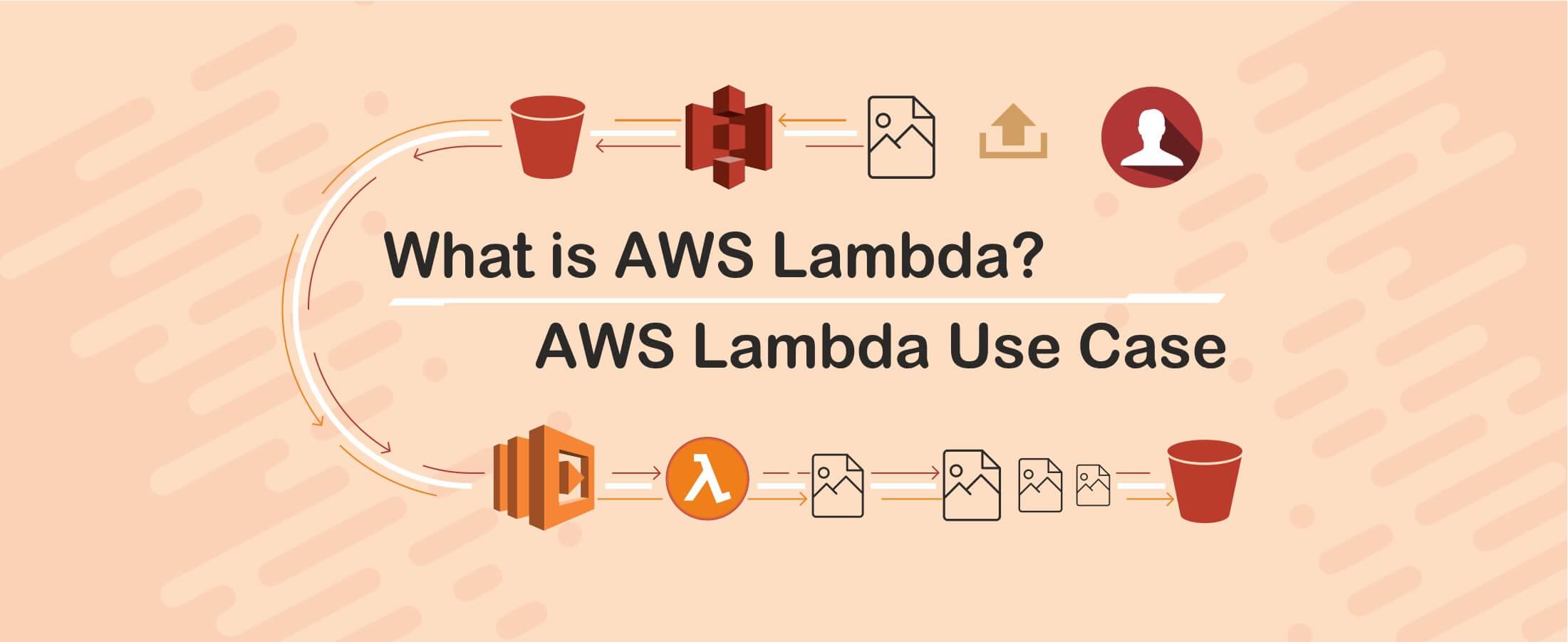
What is AWS Lambda? & AWS Lambda Use Case
Digital Marketing Strategies for Real Estate Agents
Web API and HL7 FHIR – The Future of Interoperability
Why FHIR is Better?

Real Estate Tech Space Review 2019
Improving Patient Care with Chronic Care Management
10 Healthcare Tech Trends to Follow in 2020

10 Real Estate Tech Trends to Follow in 2020
iBuyer: Disruptive Business Model or a Passing Fad?

Symptom Checker: Your personal mhealth app

Facebook for Real Estate Marketing
Use cases for Big Data in Real Estate
Can Real Estate be Uberized?
Using Predictive Analysis for Better Management of Patient Emerge
Challenges in Aggregating MLS Data
Home Navigation for the Visually Challenged

Uberization of Healthcare
Using mHealth for monitoring symptoms in children
Pinterest for Real Estate Marketing

Advancement of Voice Inputs over Text in Healthcare

Instagram for Real Estate Marketing
Chatbots in Healthcare
Why brokers are moving to custom solutions rather than using gene
Virtual Hospitals: Future of Healthcare

What Happens in Vegas, Stays in Vegas – Well, not if you ha
8 Healthcare Tech Trends to watch out for in 2019

6 Reasons Why Telemedicine Hasn’t Taken Off

5 Real Estate Tech Trends to watch out for in 2019
How MLS APIs Can Improve Your IDX Performance
How can Realtors generate quality leads using Social Media?

What is the difference between RETS and RESO Web API?
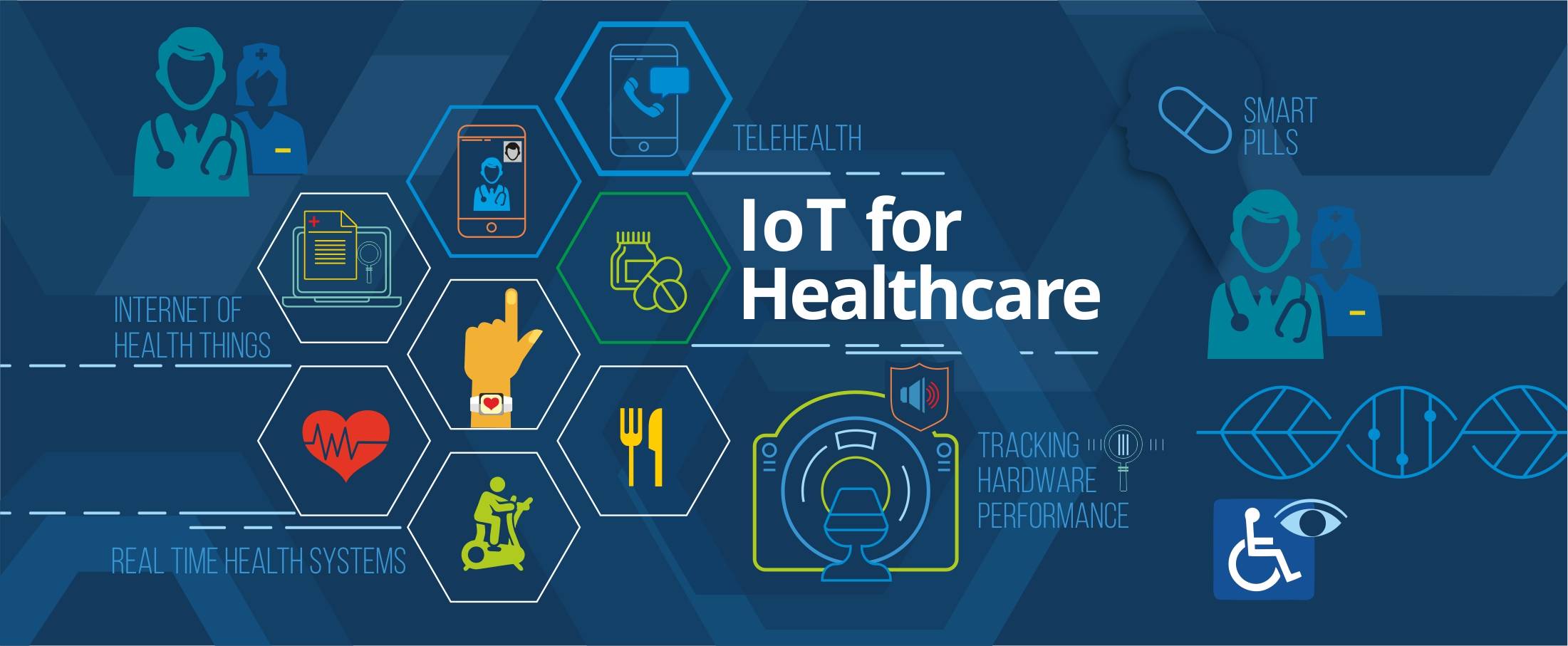
IoT for Healthcare

3D Home Tours – A must have in today’s world?
3D Printing in Real Estate

Pros & Cons of integrating RETS in your website

Blockchain: Opportunities for Healthcare
Pros & Cons of Integrating IDX in your Website
4 Reasons why you need to integrate RESO compliant MLS
Docker Selenium Grid for Parallel Test Execution
IDX vs RETS vs MLS vs RESO
How is AI Transforming Healthcare
The Future of Virtual Reality in Healthcare

Smart Contracts in Real Estate using Blockchain

How To Choose The Right CRM For Your Business
Best UX Design Practices for Healthcare Applications
FHIR Integration for Better Patient Engagement
IoT for SMART Real Estate
AI to Automate Pre-Showing Process
Best Practices for Healthcare Data Governance

Will Virtual Reality in Real Estate Replace Property Showing?

A Secure Web is Here

Will Uber-ized Property Showing Gain Momentum?
Future of Cloud Computing in Healthcare
5 Real Estate Tech Predictions for 2018

Key Takeaways From Inman Connect NYC 2018 #ICNY
DevOps is the future of the software development

9 Proven Ways to Optimize Google Page Speed

3 Ways to Generate More Real Estate Sales Leads
Introduction to Elasticsearch
5 Real Estate Tasks to Automate
MLS Data: Roadblock for RealTech?

Part II – Writing Better, Faster and Easy to Maintain Mobil
Meteor Security Checks
3 Reasons Why You Need App Prototype For Your Idea

Apple Events September 2017

Part I – Writing Better, Faster and Easy to Maintain Mobile