Web App vs Mobile App: How to Choose the Right Platform for Your Idea

Web App vs Mobile App: How to Choose the Right Platform for Your Idea
When it comes to turning your software idea into reality, there are two main options available in the digital world: web apps and mobile apps.
- Web apps are applications that run directly in web browsers. They offer the advantage of being instantly accessible across various devices without the need for installation.
- Mobile apps, on the other hand, are applications that need to be downloaded from app stores. They provide a deeper integration with device features, allowing for enhanced functionality.
Choosing the right platform is crucial for the success of your application. This decision will have an impact on several factors:
- Development costs and timeline
- User accessibility and reach
- Feature capabilities
- Maintenance requirements
- Revenue potential
Your choice will depend on specific factors that are unique to your project:
- Preferences of your target audience
- Functionality required from specific devices
- Budget limitations
- Goals for time-to-market
- Performance expectations
Making an incorrect choice when it comes to selecting a platform can have negative consequences. It can restrict the potential of your application, put a strain on your resources, and result in missed opportunities in the market.
By understanding the strengths and weaknesses of both web apps and mobile apps, you can make a well-informed decision that aligns with your business objectives and meets the needs of your users.
In this article, we will delve deeper into these platforms to assist you in finding the ideal foundation for your software idea.
Understanding Web Apps
Web apps are software applications that run directly in your web browser, eliminating the need for installation on your device. These applications operate through URLs, making them instantly accessible to users across different platforms and devices.
Key Characteristics of Web Apps:
- Browser-based functionality
- Real-time updates without user intervention
- Cross-platform compatibility
- Minimal device storage requirements
- Centralized data management
Web apps deliver consistent experiences across devices through responsive design principles. You can access the same features and functionalities whether you’re using a desktop computer, tablet, or smartphone – as long as you have an internet connection and a compatible browser.
Technologies Powering Web Apps:
Front-end Development:
- HTML5 for structure
- CSS3 for styling
- JavaScript for interactivity
Back-end Development:
- PHP
- Ruby on Rails
- Python
- Node.js
Database Management:
- MySQL
- MongoDB
- PostgreSQL
Popular examples of web apps include Google Docs, Trello, and WordPress. These applications demonstrate the versatility of web-based solutions, offering complex functionalities directly through your browser. The technology stack behind web apps continues to evolve, with new frameworks and tools emerging to enhance development capabilities and user experience.
Understanding Mobile Apps
Mobile apps are specialized software applications designed for smartphones and tablets. These apps operate directly on your device’s operating system, creating a seamless integration between software and hardware capabilities.
Native Device Integration
Mobile apps have the ability to integrate directly with various features of your device, including:
- Access to camera functions
- GPS location services
- Device sensors
- Push notifications
- Biometric authentication
Installation Process
To use mobile apps, you need to install them through specific platforms:
- Apple App Store for iOS devices
- Google Play Store for Android devices
- App marketplaces for specific device manufacturers
During the installation process, a direct connection is established between the app and your device’s operating system. This allows the app to access advanced features and perform better.
Enhanced User Experience
Mobile apps are designed to provide a superior user experience by taking advantage of the unique capabilities of each device. Here are some ways in which they achieve this:
- Offline functionality for uninterrupted usage
- Faster load times through local storage
- Seamless integration with other device apps
- Custom gesture controls
- Device-specific UI/UX patterns
These applications excel in scenarios requiring intensive device feature usage, such as mobile gaming, photo editing, or fitness tracking. The direct access to hardware components allows mobile apps to process data locally, reducing server dependencies and enabling real-time responses to user actions.
Mobile apps also benefit from platform-specific development guidelines, ensuring consistency in user experience across similar devices while maintaining high performance standards through optimized code execution.
Key Differences Between Web Apps and Mobile Apps
Web apps and mobile apps serve distinct purposes through their unique characteristics and capabilities. Here’s what sets them apart:
- 1. Platform Accessibility
- Web apps run on any device with a web browser
- Mobile apps require specific operating systems (iOS/Android)
- Web apps adapt to screen sizes automatically
- Mobile apps need separate versions for different platforms
- 2. Installation Process
- Web apps:
- No installation needed
- Access through URL
- Instant updates without user action
- No app store approval required
- Mobile apps:
- Download from app stores
- Device storage space needed
- Manual updates through app stores
- Strict approval process
- Web apps:
- 3. Offline Access
- Web apps:
- Limited offline functionality
- Basic caching capabilities
- Internet connection required for most features
- Mobile apps:
- Full offline access to features
- Local data storage
- Sync when connection restores
- Better performance without internet
- Web apps:
These differences shape how users interact with your application and influence development decisions. The choice between web and mobile apps impacts user experience, development costs, and maintenance requirements.
Advantages of Web Apps
Web apps offer distinct benefits that make them an attractive choice for many businesses and developers.
- 1. Universal Access Without Installation
- Access your app through any web browser
- No device storage requirements
- Instant availability across desktops, tablets, and smartphones
- Zero friction user onboarding – just share a URL
- 2. Streamlined Update Process
- Push updates directly to all users simultaneously
- No app store approval waiting times
- Users always access the latest version
- Immediate bug fixes and feature deployments
- 3. Cost-Effective Development
- Single codebase for all platforms
- Reduced development time and resources
- Lower maintenance costs
- No app store fees or commissions
- Simplified testing across platforms
Web apps shine in scenarios where you need rapid deployment and wide reach. Companies like Slack and Trello started as web apps to quickly capture market share. The ability to make instant updates allows for rapid iteration based on user feedback, while the cost-effective development process enables startups to launch with minimal initial investment.
The absence of installation requirements creates a frictionless experience for users. You can share your web app through a simple link, making it ideal for tools that need quick adoption across teams or organizations.
Advantages of Mobile Apps
Mobile apps offer powerful features that web applications can’t provide. These native applications directly access your device’s hardware, creating smooth experiences customized for your smartphone or tablet.
Enhanced Device Integration
Native mobile apps have the ability to integrate with various device features, such as:
- Accessing camera functions for photo/video capture
- Utilizing GPS location services for navigation
- Implementing biometric authentication (fingerprint, face recognition)
- Using device sensors for motion detection and orientation
- Establishing Bluetooth connectivity for device pairing
Robust Offline Performance
One of the key advantages of mobile apps is their ability to function offline. This includes:
- Full functionality without an internet connection
- Local data storage and caching
- Background synchronization when online
- Faster load times through device storage
- Reliable performance in areas with low connectivity
Diverse Monetization Strategies
Mobile apps also offer various ways to generate revenue, such as:
- In-app purchases for digital goods
- Premium app versions
- Subscription-based models
- Mobile advertising integration
- Freemium features unlocking
Native mobile apps deliver superior user experiences through deep hardware integration. You can capture photos, track location, and authenticate users seamlessly. Apps like Instagram leverage camera access for instant photo sharing, while fitness apps use motion sensors for workout tracking.
The offline capabilities of mobile apps ensure uninterrupted service. Banking apps let you check balances without internet, music apps play downloaded tracks anywhere, and note-taking apps sync changes when connectivity returns.
Mobile apps open multiple revenue streams through app stores. Games implement in-app purchases, productivity apps offer premium features, and content platforms provide subscription access. This flexibility in monetization helps developers sustain and grow their applications.
This is custom heading element
Progressive Web Apps bridge the gap between web and mobile applications, offering a versatile solution for businesses seeking the best of both worlds. PWAs run in web browsers while providing app-like experiences through modern web capabilities.
Key PWA Features:
- Installation directly from browsers without app store requirements
- Push notifications for user engagement
- Home screen icons for quick access
- Responsive design that adapts to any screen size
- Automatic updates without user intervention
PWAs integrate with several native device features through browser APIs:
- Camera access for photo/video capture
- Location services for mapping
- Storage for offline data
- Contact list integration
- Payment processing capabilities
- Comparison with Traditional Platforms
Web Apps vs PWAs
- PWAs offer offline functionality
- Enhanced performance through caching
- Device integration capabilities
- Installation options
Mobile Apps vs PWAs
- Lower development costs
- No app store approval process
- Cross-platform compatibility
- Instant updates
PWAs face certain limitations in device feature access. They can’t fully utilize Bluetooth connections, execute background tasks, or access all sensor data. The technology continues to evolve, with browsers regularly adding support for new capabilities and APIs.
The adoption of PWAs grows among major companies like Twitter, Starbucks, and Pinterest, demonstrating their viability as a practical alternative to traditional development approaches.
Factors Influencing Your Choice Between Web and Mobile Apps
Your choice between web and mobile apps depends on three important factors:
- 1. Target Audience Reach
- Web apps reach users across all devices through browsers
- Mobile apps target specific platform users (iOS or Android)
- Consider your audience’s preferred device usage patterns
- Analyze geographical market penetration of different platforms
- 2. Budget Constraints
- Web app development costs:
- Single codebase development
- Lower maintenance expenses
- Faster deployment cycles
- Mobile app investment requirements:
- Platform-specific development
- App store fees
- Regular updates and maintenance
- Multiple codebases for different platforms
- Web app development costs:
- 3. User Experience Depth
- Web apps suit:
- Content-focused applications
- Simple interactive features
- Quick access without installation
- Mobile apps excel in:
- Complex interactions
- Device feature integration
- Offline functionality
- Push notifications
- Web apps suit:
Your decision matrix should weigh these factors against your project goals. A content-heavy service with budget limitations might benefit from a web app approach. Projects requiring deep device integration or sophisticated user interactions could justify the higher investment in mobile app development.
Remember: Your platform choice shapes your product’s future scalability, user engagement, and revenue potential. Consider starting with one platform and expanding based on user feedback and market response.
- Mobile Apps
- Mobile vs Web Apps
- PWA
- Web Apps
12th Aug 2025
Related Posts
EdTech Development: Creating Engaging Learning Platforms

Integrating Multiple Systems? How Custom Software Can Break Down

Staff Augmentation vs Project Outsourcing: Which Model Fits Your

Building an App? 5 Mistakes to Avoid in the Early Stages

DevOps in Custom Software: Accelerating Delivery and Quality —

UI/UX Best Practices for Custom Web Applications — What They Re
Mobile App Development Trends 2026: AI, IoT, and Beyond

Why Choosing the Right Tech Stack Matters

MVP Development: Focusing on Core Features for Success — and Ho

Inbox Under Threat: How Human Verification Can Protect Email From

How to Enhance User Engagement with These Mobile App UX Hacks

10 Signs Your Business Needs Custom Software (And Not Off-the-She

From Concept to Creation: Understanding Product Engineering Servi

Save Time and Money with Effective Prototyping in Software Projec

Securing Your Application: Best Practices from Day 1

Why Custom Software Is a Smart Investment for SMBs

Custom Software for Healthcare: Innovations That Meet Compliance

FinTech Software Development: Security and Compliance Best Practi

Understanding HIPAA Compliance in Healthcare App Development: A C

Breaking the Fix-It Loop – Why Patching Alone Slows Growth

Why ‘Technical Feasibility’ is Crucial Before Buildin

Can AI Replace Designers? The Real Impact on Creative Design Team

Redesigning Hiring for the Underserved – A Blueprint for Talent

Agile vs Waterfall: How to Decide the Best Fit for Your Project

Behavioral Traits – The Hidden Engine of Retention

Building Custom Software on a Budget: Expert Advice for Startups

UX as Emotional Infrastructure

Mock Interviews, Real Confidence: Preparing Beyond the Resume

Rapid Prototyping: How AI is Revolutionizing the Design Process i

What If Job Matching Measured Mindsets, Not Just Degrees?

Why Job Boards Fail in Developing Economies

Transforming Software: How AI is Making It More User-Friendly and

Leave Management System – Admin & HR Controls

When Code Bows to Culture

The Role of AI in Super High Paced Development: Transforming the

Who is Soham Parekh?

Leave Management System – Instant Leave Decisions

Leave Management System – Employee Leave Flow

AI-Based Error Log Analyzer: A Smarter Way to Handle Infrastructu

Why Pictures (and Sounds) Speak Louder Than Tables

Leave Management System – Mobile First

Leave Management System – Real Cost
Leave Management System

Keeping Workers Safe: How Computer Vision Revolutionizes Industri
The AI Whisperer: Unmasking Public Opinion with Sentiment Analysi

EHR Interoperability: Enhancing Care Coordination

EHR Security Best Practices: Safeguarding Patient Data

The Benefits of Implementing EHR Systems in Healthcare

Big Data Trends in Healthcare
Business Intelligence for Healthcare Industry
How Mobile Apps Are Transforming Healthcare
Practical Use Cases of RPA in the Healthcare Industry
Google Core Update January 2020
Health Information Exchange (HIE): A Primer
How Wearables are Helping to Monitor Patients
Best Practices for Successful EHR Data Integration
Importance of Sustainable Last-Mile Delivery Options in Building
Applications of 3D Printing in Healthcare

Application and Advantages of Artificial Intelligence and Machine
What is Technical SEO?

Healthcare Tech Space Review 2019

What is AWS Lambda? & AWS Lambda Use Case
Digital Marketing Strategies for Real Estate Agents
Web API and HL7 FHIR – The Future of Interoperability
Why FHIR is Better?
Real Estate Tech Space Review 2019

Improving Patient Care with Chronic Care Management
10 Healthcare Tech Trends to Follow in 2020
10 Real Estate Tech Trends to Follow in 2020
iBuyer: Disruptive Business Model or a Passing Fad?
Symptom Checker: Your personal mhealth app
Facebook for Real Estate Marketing
Use cases for Big Data in Real Estate
Can Real Estate be Uberized?
Using Predictive Analysis for Better Management of Patient Emerge
Challenges in Aggregating MLS Data

Home Navigation for the Visually Challenged
Uberization of Healthcare
Using mHealth for monitoring symptoms in children
Pinterest for Real Estate Marketing

Advancement of Voice Inputs over Text in Healthcare
Instagram for Real Estate Marketing
Chatbots in Healthcare
Why brokers are moving to custom solutions rather than using gene
Virtual Hospitals: Future of Healthcare

What Happens in Vegas, Stays in Vegas – Well, not if you ha
8 Healthcare Tech Trends to watch out for in 2019

6 Reasons Why Telemedicine Hasn’t Taken Off

5 Real Estate Tech Trends to watch out for in 2019
How MLS APIs Can Improve Your IDX Performance
How can Realtors generate quality leads using Social Media?

What is the difference between RETS and RESO Web API?
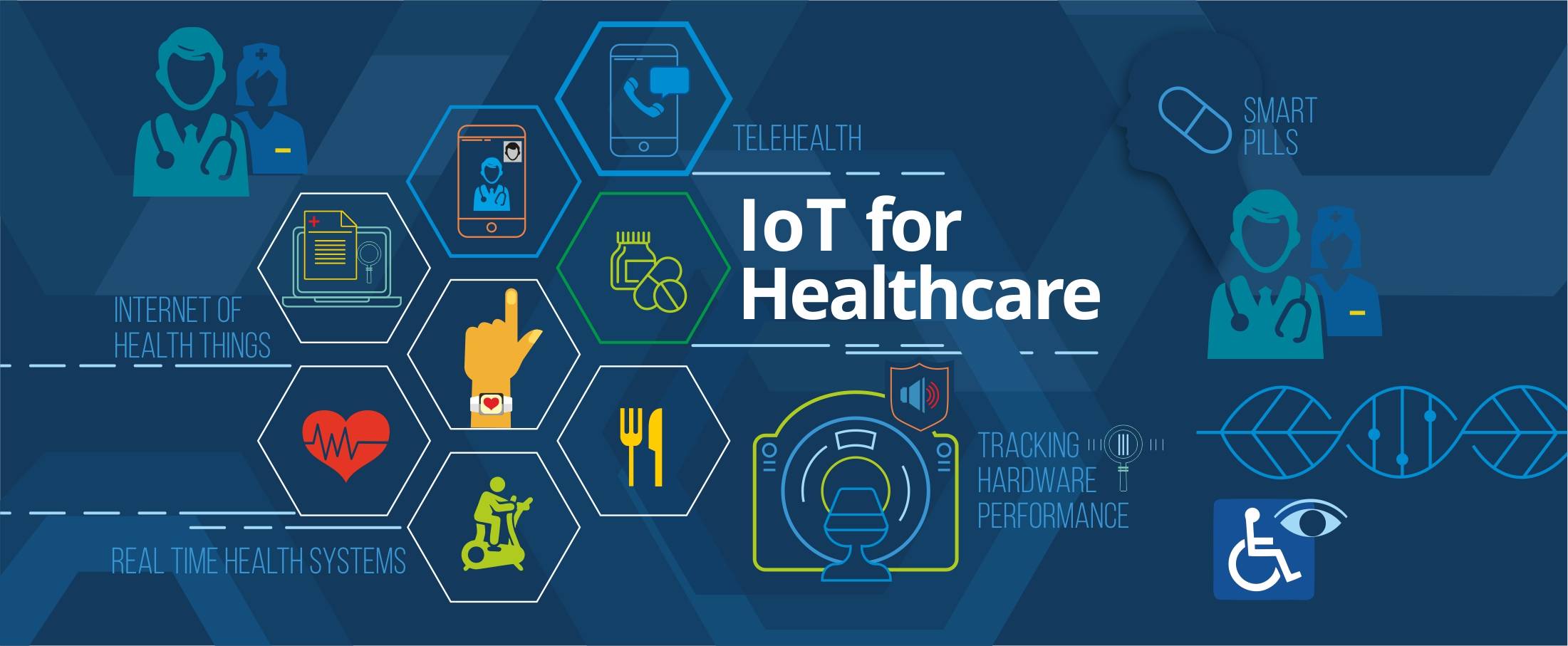
IoT for Healthcare

3D Home Tours – A must have in today’s world?

3D Printing in Real Estate

Pros & Cons of integrating RETS in your website
Blockchain: Opportunities for Healthcare

Pros & Cons of Integrating IDX in your Website

4 Reasons why you need to integrate RESO compliant MLS

Docker Selenium Grid for Parallel Test Execution
IDX vs RETS vs MLS vs RESO
How is AI Transforming Healthcare
The Future of Virtual Reality in Healthcare

Smart Contracts in Real Estate using Blockchain

How To Choose The Right CRM For Your Business

Best UX Design Practices for Healthcare Applications
FHIR Integration for Better Patient Engagement
IoT for SMART Real Estate
AI to Automate Pre-Showing Process

Best Practices for Healthcare Data Governance

Will Virtual Reality in Real Estate Replace Property Showing?

A Secure Web is Here

Will Uber-ized Property Showing Gain Momentum?
Future of Cloud Computing in Healthcare
5 Real Estate Tech Predictions for 2018

Key Takeaways From Inman Connect NYC 2018 #ICNY
DevOps is the future of the software development

9 Proven Ways to Optimize Google Page Speed

3 Ways to Generate More Real Estate Sales Leads
Introduction to Elasticsearch
5 Real Estate Tasks to Automate
MLS Data: Roadblock for RealTech?
Part II – Writing Better, Faster and Easy to Maintain Mobil
Meteor Security Checks

3 Reasons Why You Need App Prototype For Your Idea
Apple Events September 2017

Part I – Writing Better, Faster and Easy to Maintain Mobile